
Run your shop from your phone. No POS, no printer, no training.
EasyStock is a simple stock and cashbox app for small shops. Your cashier enters the opening stock and any new stock. EasyStock works out the sales, keeps track of expenses and customer debts, and tells you at the end of the day if the till is short.
Works on Android and in any web browser. Already running in 20+ shops across Kenya.

A POS system asks a lot of a small shop
A typical POS
- A computer or tablet at the counter
- A thermal printer and receipt rolls
- Training for every cashier before they can sell
- Setup and equipment costs before day one
EasyStock
- A phone you already have, with the Android app or any browser
- Nothing to print
- Cashiers only enter opening stock, new stock, expenses and debts
- Start the free trial today and learn as you go
A cashier's day in EasyStock
-
Enter the opening stock
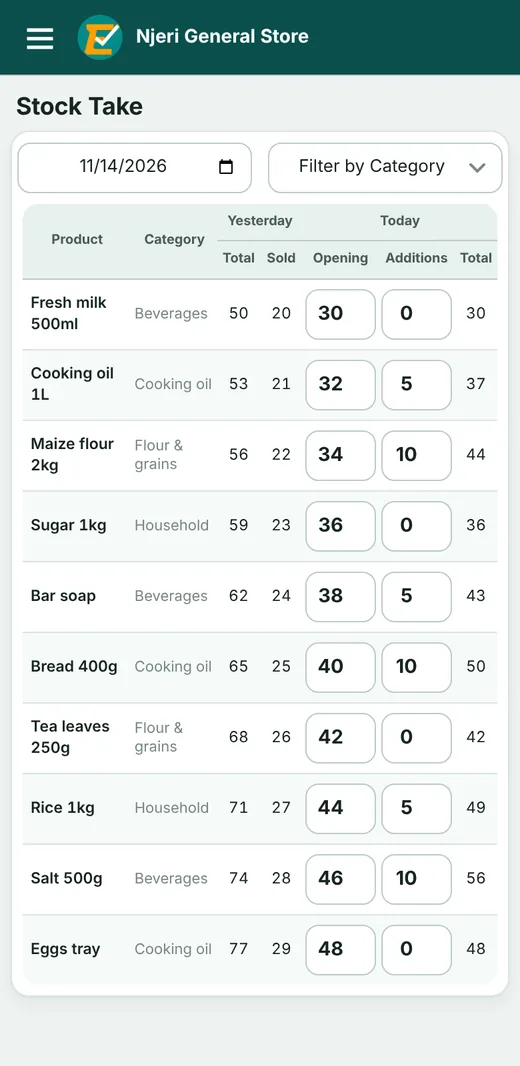
In the morning, count what is on the shelf and type it into Stock Take.
-
Add new stock
When supplies arrive, enter the quantity as additions. EasyStock values them at your buying price.
-
Record expenses and debts
Log shop expenses. When a customer buys on credit, add a bill. When they pay, record it as cash or M-Pesa.
-
Count the till
Enter the cash and M-Pesa received. EasyStock compares it with what the till should hold and shows short or excess.
You never record sales item by item. EasyStock works out what sold from your stock counts, so a busy counter does not slow down.
What you get
Stock take
Opening stock and additions for every product, in one table built for phone screens.
Expenses
Record what the shop spends each day so the profit figure is real.
Customer debts
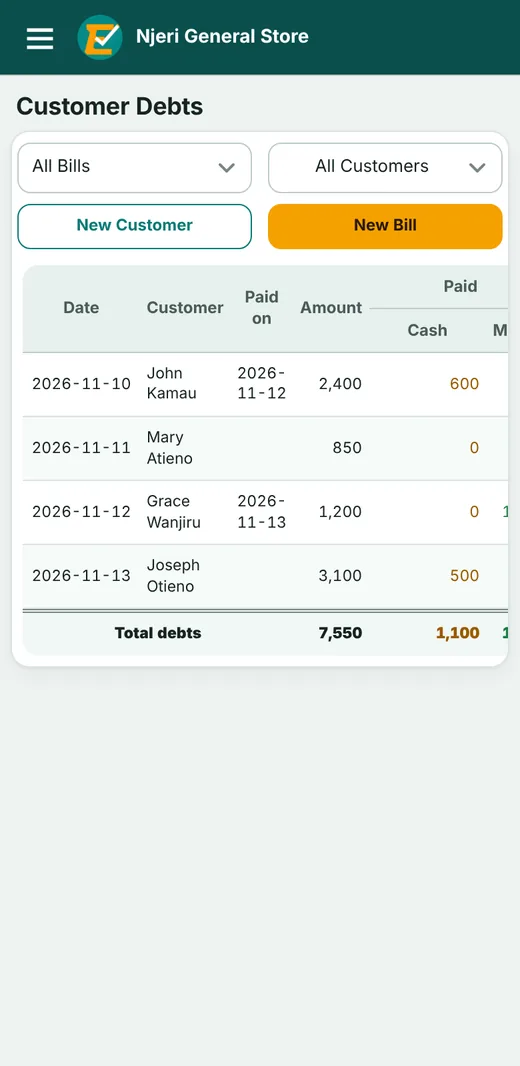
Keep a bill for each customer, take part payments and see who still owes you.
Cashbox
Enter cash and M-Pesa received. See the shortage or excess for the day, and the trend for the month.
Dashboard
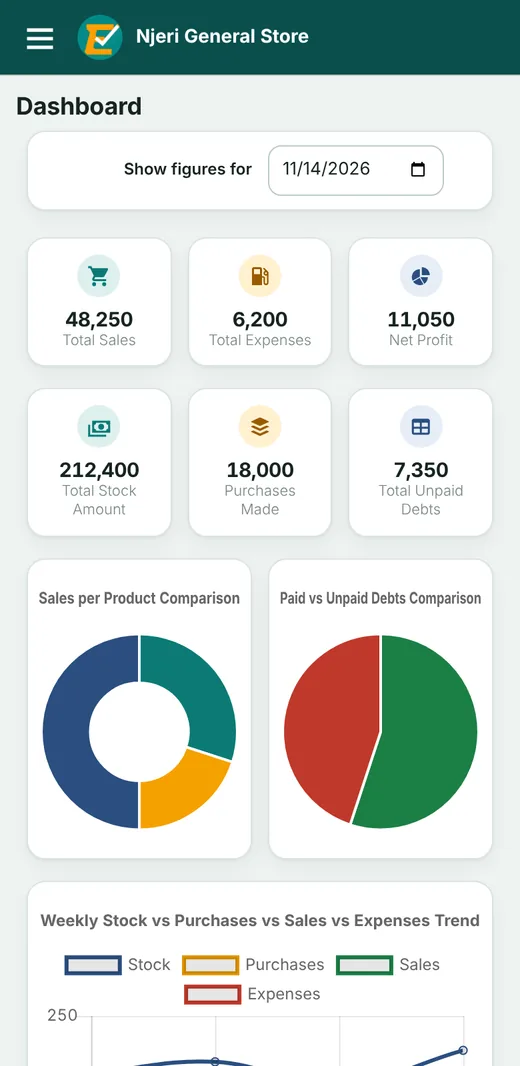
Sales, expenses, net profit, stock value and unpaid debts for any date, with charts.
Reports
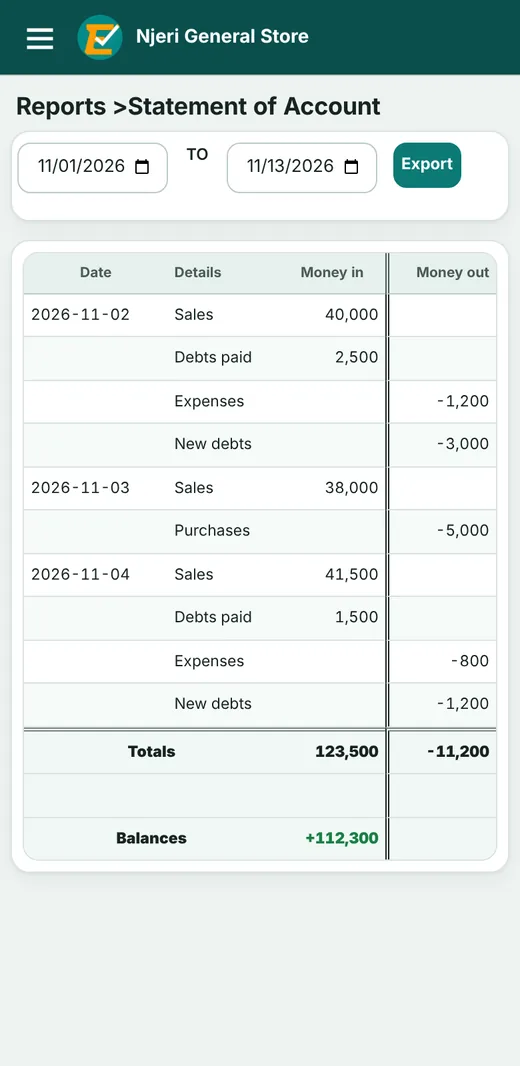
Sales, purchases, stock, expenses, customer debts, profit and loss, and a statement of account you can export as a PDF for the bank.
Inventory
Products, categories, buying and selling prices, and stock adjustments.
Users and shops
Give each person a role. Run more than one shop from the same account.
See it on a phone
These are real screens from the app.
Built for small shops of all kinds
If you sell products and want to know your stock, your debts and your till, EasyStock fits.
- Wines & spirits / bar
- Pharmacy / chemist
- Agrovet
- Hardware
- Butchery
- General shop
- Auto spare parts
- Boutique
- Car dealer
- Cosmetic & beauty
- Petrol station
- Green grocery
Everyone sees only what they should
| Role | Can use |
|---|---|
| Admin | Everything. Can switch between shops. |
| Supervisor | Stock, inventory, customer bills and expenses. Can switch between shops. |
| Sales | Stock, inventory, customer bills and expenses for one shop. |
| Director | Reports only. Can switch between shops. |
Try it free for 7 days. Then from KES 1,000 a month.
Every plan includes every feature. Pay for longer and the monthly cost drops, down to KES 667 a month on the 3-year plan.
Questions shop owners ask
Do I need internet?
Yes. EasyStock runs online, so the phone needs mobile data or Wi-Fi while you use it.
Does it print receipts or scan barcodes?
No. EasyStock is not a till. It works from your daily stock counts and does not print receipts. That is why a cashier needs no printer and very little training.
Does it take M-Pesa payments?
It records them. You enter the M-Pesa and cash your cashier received, and EasyStock checks it against what the till should hold. It does not process payments.
Can I run more than one shop?
Yes. Admin, Supervisor and Director roles can switch between shops. A Sales user stays in one shop.
How do I install it on Android?
Open the Android download page on your phone and follow the steps. You can also just log in from any browser at app.easystock.co.ke.
What happens after the free trial?
Pick a plan to keep using EasyStock. Choose it in the app, or message us on WhatsApp and we will help you.